Microsoft Word has evolved across several major releases. Each version brought improvements in user interface, performance, accessibility, and cloud integration.
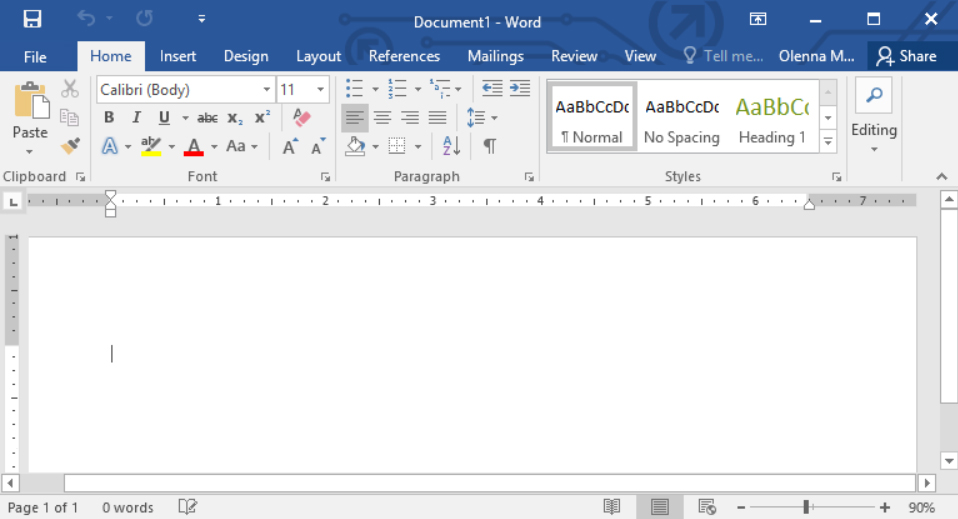
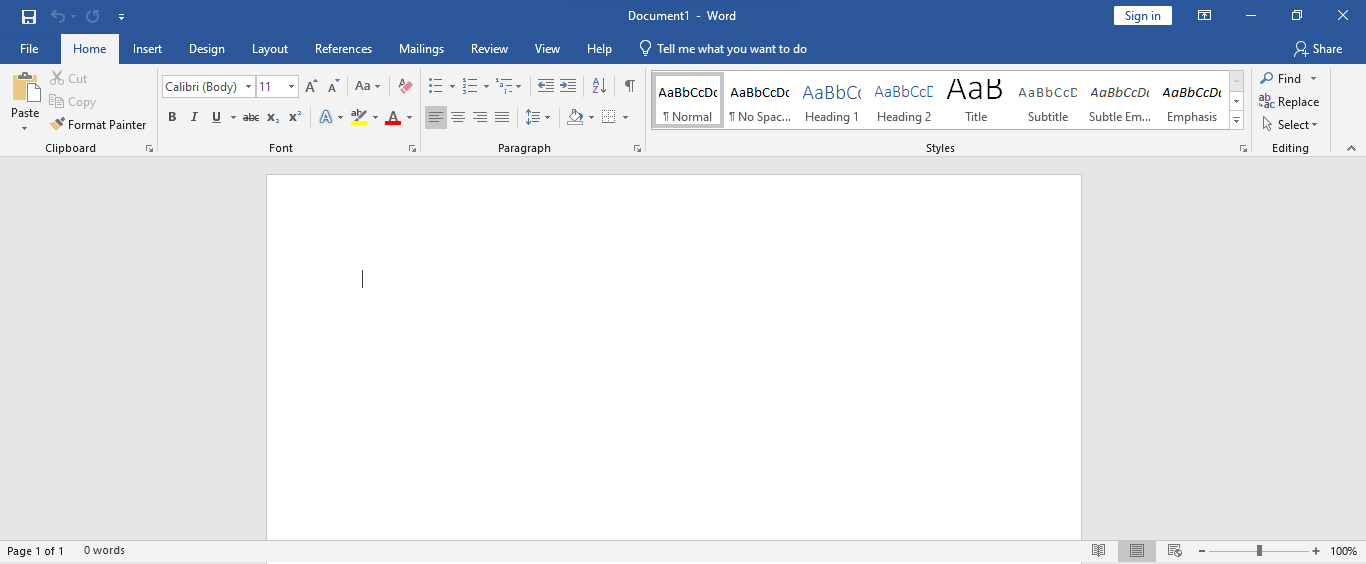
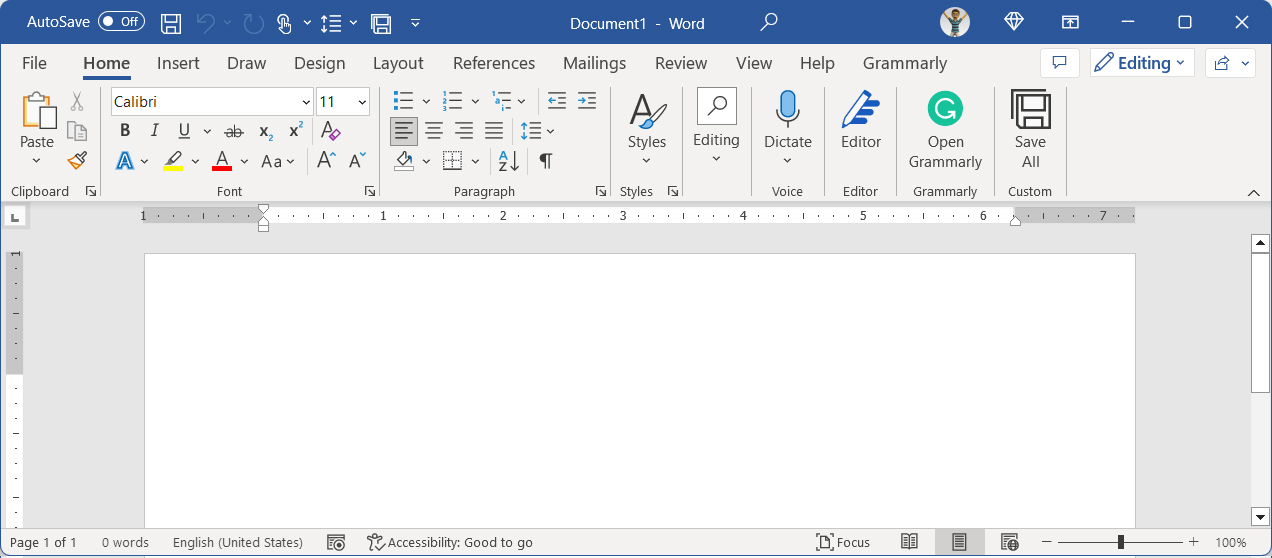
Regardless of the version, Word has several core interface components:



Home
Insert
Design
Layout
References
Mailings
Review
View
Help
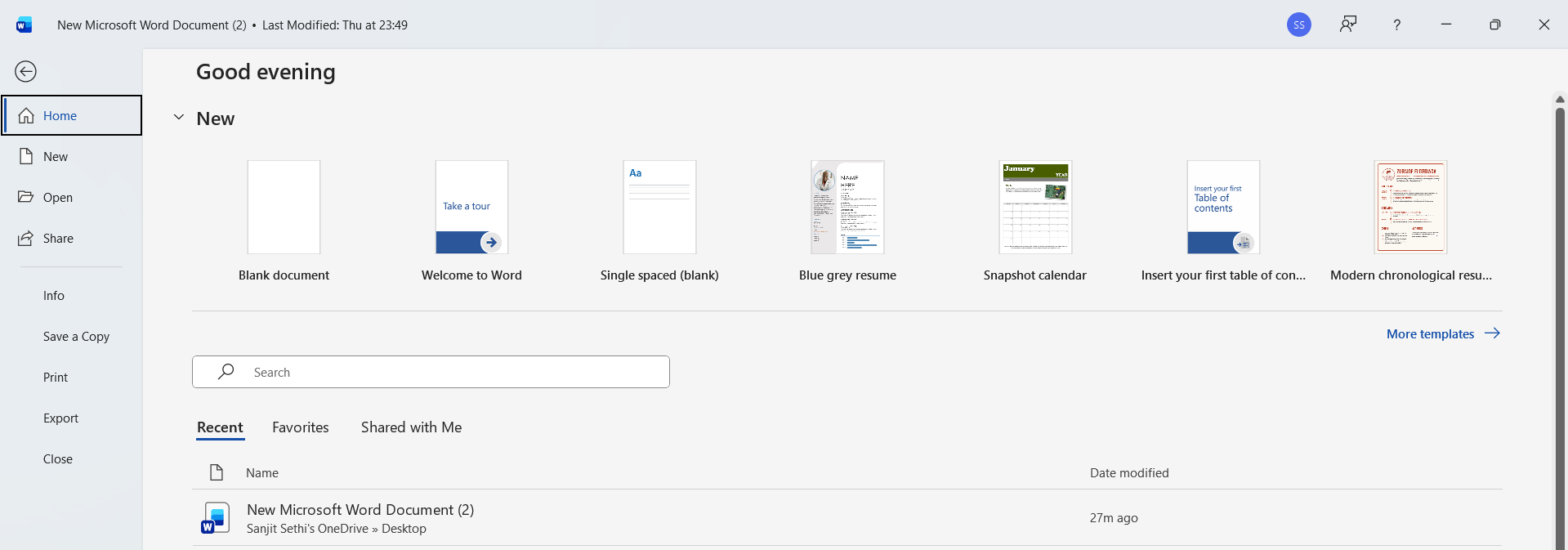
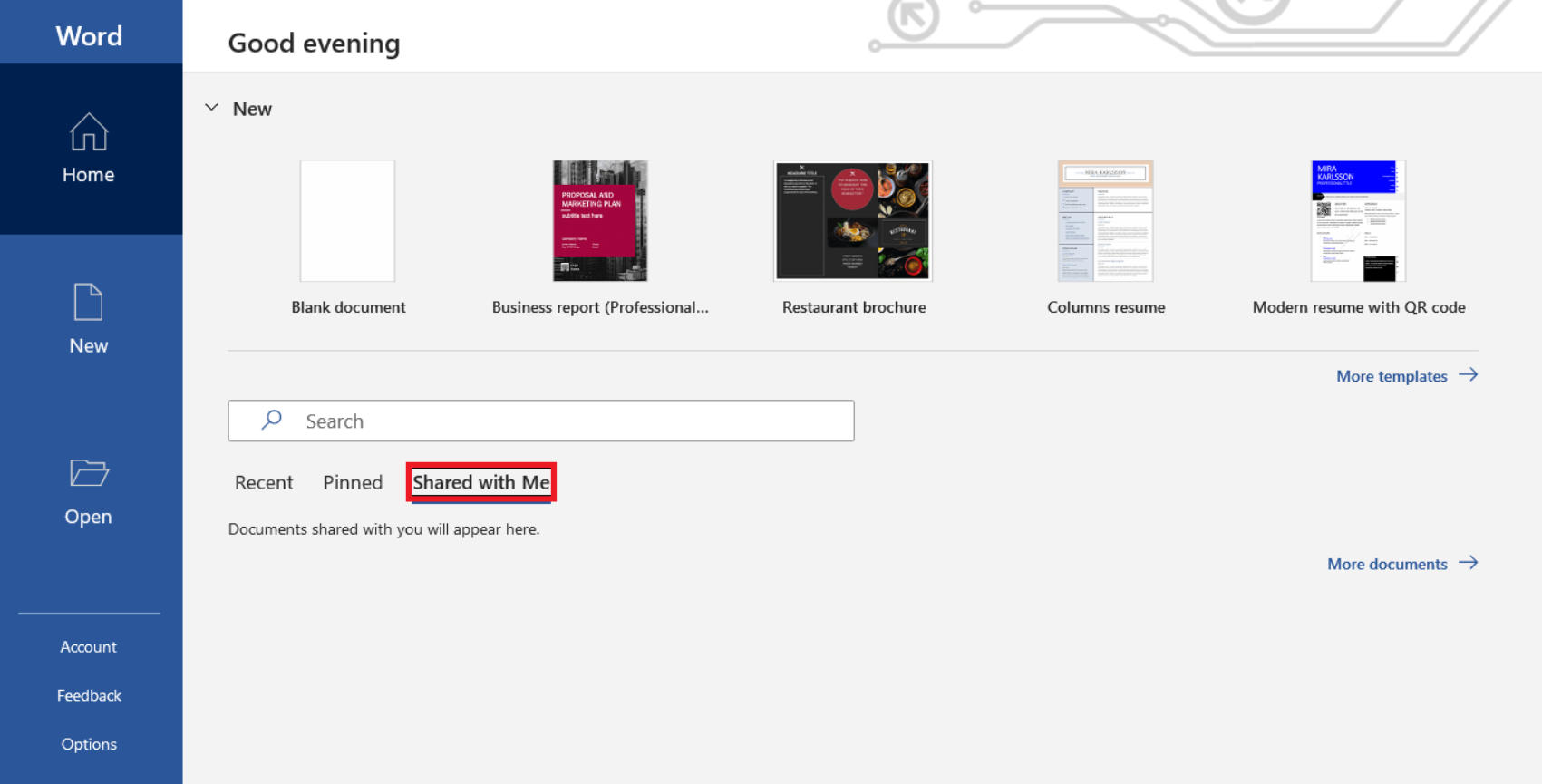
Open
Save, Save As
Share
Export
Options
Account
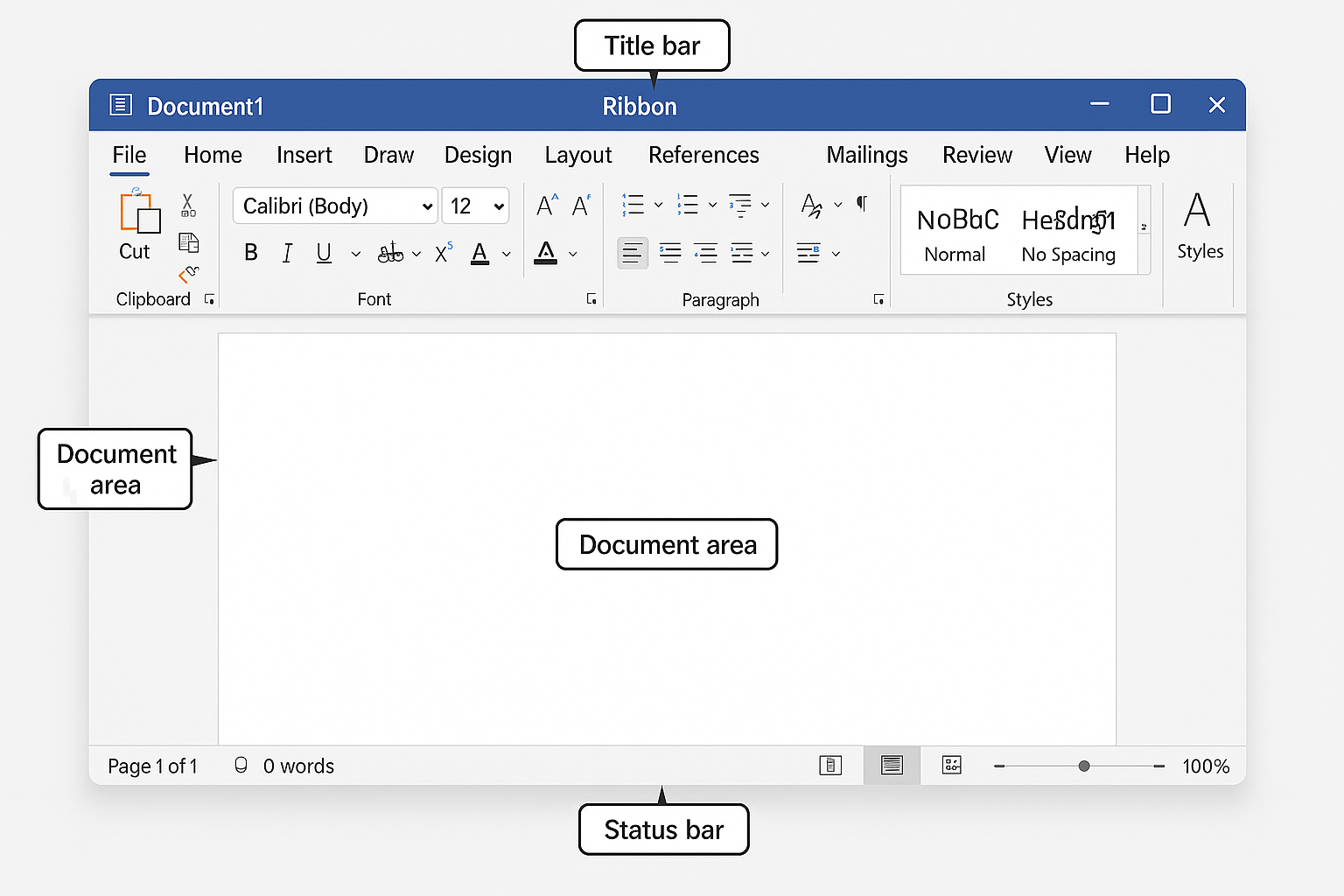

Page number
Word count
Language
Spell-check status
Zoom slider
View buttons
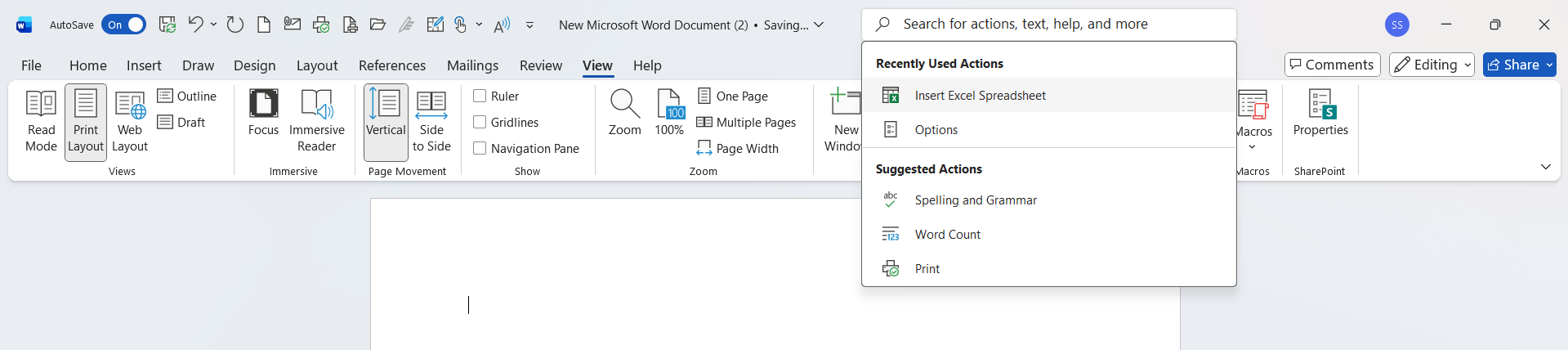
📝Explanation: “Tell Me” was introduced in Word 2016 for quick command searching.
📝 Description: Office 365 (Microsoft 365) is cloud-based and updated monthly.
📝 Description: Quick Access Toolbar holds quick-access commands.
📝 Description: The title bar displays the current file name and window actions.
📝 Description:Home tab contains font, paragraph, and style tools.
📝 Description: Word 2019 introduced advanced graphics support.
📝 Description: Status bar contains Read Mode, Print Layout, and Web Layout buttons.
📝 Description: Backstage View opens when clicking the File tab.
📝 Description: You can find Print options in "File Menu" in Microsoft Office Word?
📝 Description: AutoSave requires cloud storage through Microsoft.
📝 Description: Office 365 offers full real-time editing.
📝 Description: Each Ribbon tab contains groups of related commands.
📝 Description: The central blank page area of Microsoft Office Word is known as "Workspace". Where you can write, edit, insert content like, images, audio, video, etc....
📝 Description: The Zoom slider (located in the Status Bar) adjusts how large or small the document appears on your screen—without changing actual page size.
📝 Description: Word 2021 updated the interface using Microsoft’s Fluent Design, including rounded window corners and softer iconography.
📝 Description: The “Tell Me” (or "Search") box helps users quickly find commands by typing what they want to do—without navigating tabs.
📝 Description: Backstage View (File tab) contains options like Save, Print, Account management, and Word Options.
📝 Description: Office 365 (Microsoft 365 Word) receives continuous updates, new features, and improvements every month.
📝 Description: The Status Bar shows real-time information such as page count, word count, language, proofing status, and zoom level.
📝 Description: Microsoft 365 Word includes AI-powered tools like Editor, advanced grammar suggestions, clarity scoring, and style improvements.
Copyright © 2004-2025 Mind Set Education – Managed By: mLand India Technologies. All Rights Reserved.

We are MindSet Competitive Education Team/ Family. We are currently uploading our course contents continuously to complete and to lunch the website for you all as soon as possible. But we are continuously update course contents/topics from START, so you can stat your Competitive Preparation Journey from start to end step by step.